
Paid Media
The 13 LinkedIn Ad Formats (And the One You Should Run First)

If you've made it here, you've probably already made the decision to advertise on LinkedIn. Good. We're not going to spend 1,500 words talking you into something you've already decided.
Here's the question that matters now: which of these 13 formats should you run?
LinkedIn doesn't make this easy.
Open Campaign Manager for the first time and you're looking at a list of formats with names like "Spotlight" and "Thought Leader", each with a one-line description that tells you what it is but not when you'd actually reach for it over another.
And the list you see changes depending on the objective you picked, so even the options in front of you shift before you've made a single creative decision.
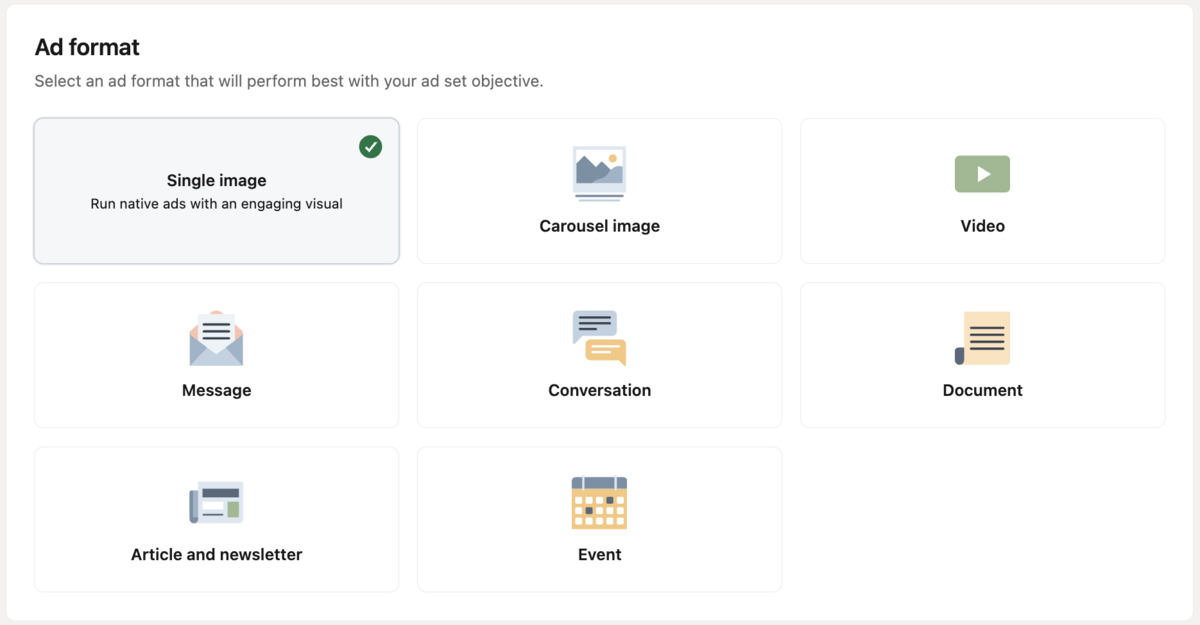
So let's make this simple. For each format, we'll cover:
- What it is
- What to expect from a campaign built on it
- What kind of campaign goal it tends to serve best
That last point matters more than people think. The "best" format usually isn't about whether you're B2B or B2C, ecommerce or SaaS. It's about what you're trying to get out of the campaign: a name in front of someone, a click, a lead, a reply. Match the format to that, and the rest gets a lot easier.
Let's get into it.
| Ad format | Where it shows up | Best for | Why it's worth a look |
|---|---|---|---|
| 01 Single Image | Feed | Awareness, retargeting | The workhorse. Simple to launch, hard to mess up |
| 02 Carousel Image | Feed | Storytelling, product sets | Gives you room to build a sequence instead of one shot |
| 03 Video | Feed | Awareness, explaining something complex | Built for people who scroll fast and stop for movement |
| 04 Document | Feed | Lead gen, thought leadership | Lets someone preview real value without leaving LinkedIn |
| 05 Event | Feed | Registrations, community building | Turns your event into its own campaign objective |
| 06 Thought Leader | Feed | Trust building, executive visibility | Ads that look like posts, from a person instead of a page |
| 07 Article & Newsletter | Feed | Nurture, ongoing engagement | Puts your existing content to work as paid media |
| 08 Message | Inbox | Direct outreach, event invites | You're in the inbox, not competing with the feed |
| 09 Conversation | Inbox | Qualifying interest, guided replies | Gives the prospect a menu instead of a monologue |
| 10 Spotlight | Native rail | Retargeting, driving clicks | Dynamically pulls in the viewer's own name and photo |
| 11 Follower | Native rail | Growing your page audience | The quiet format that builds your owned audience over time |
| 12 Text | Native rail | Low-cost awareness, testing | Cheap enough to run alongside a bigger campaign without touching the budget |
| 13 Connected TV | Streaming/CTV | Broad awareness | Puts your brand on the big screen, still targeted by LinkedIn's data |
7 formatsIn the Feed
Seven of the 13 formats live here, technically called Sponsored Content.
This is where people spend most of their time on LinkedIn, scrolling through updates from their network, and it's where most LinkedIn ad budget goes too.
These ads show up dressed like the posts around them: an image or video, some text, a CTA. The best ones don't fight that resemblance. They lean into it.
A few things worth knowing about this group before we get into each format:
- These are the formats most people picture when they think "LinkedIn ad"
- They compete directly with organic content for attention, so the bar for feeling native is high
- This is usually where a new advertiser should start, since it's the most familiar territory for both you and your audience
A quick note on Lead Gen Forms
You'll notice Lead Gen Forms aren't on this list as their own format. That's intentional. Lead Gen Forms are an add-on you can attach to several formats, not a format of their own.
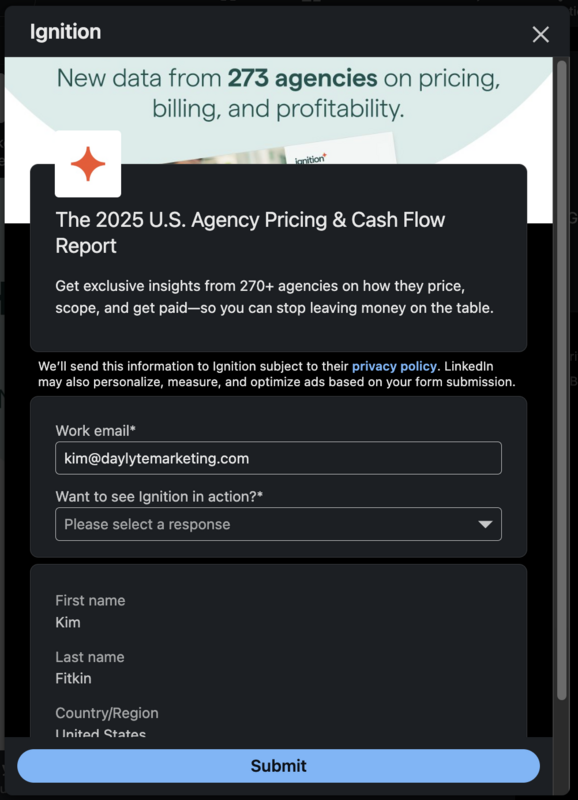
Here's what it does: instead of sending someone to a landing page to fill out a form, the form opens right inside LinkedIn, pre-filled with the person's profile information. Fewer steps, less chance they bail halfway through.
Lead Gen Forms can attach to:
- Single Image
- Video
- Carousel Image
- Message
- Document
We'll flag it in each of those sections. The short version: the less friction between someone's interest and their information landing in your CRM, the better.
Single Image
What it is
A Single Image ad is exactly what it sounds like: one image, a headline, intro text, and a CTA button, running right in the LinkedIn feed alongside organic posts.
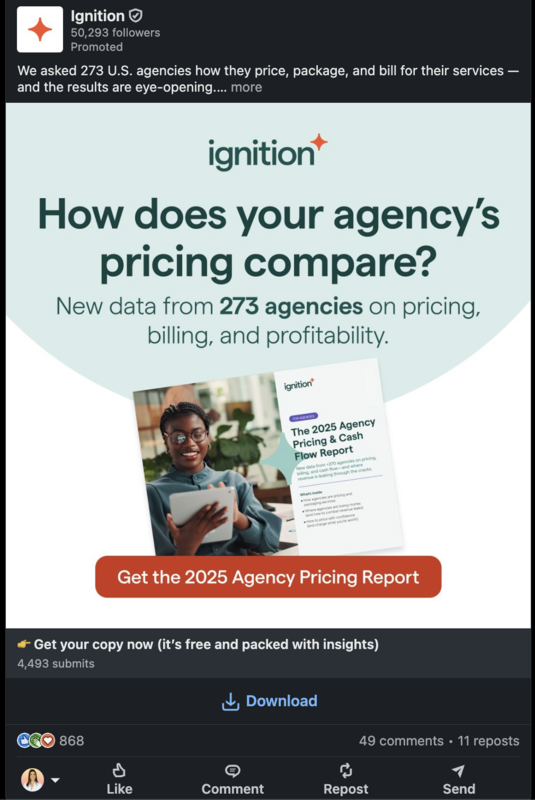
What to expect
This is the format most people picture when they think "LinkedIn ad". It's the most common for a reason. It's quick to build, easy to test, and gives you a lot of creative control in a small space.
Because it's so widely used, it also means your audience has seen a lot of them. The ones that stop the scroll tend to do one of a few things well:
Speak to a specific role or problem, not a general audience
"Marketing leaders" is not a person. "VP of Marketing at a 50-person SaaS company trying to prove ROI on paid" is a person, and that person will stop scrolling for an ad that sounds like it was written for them specifically.
The more general the ad, the easier it is to scroll past. Nobody stops for something that could be about anyone.
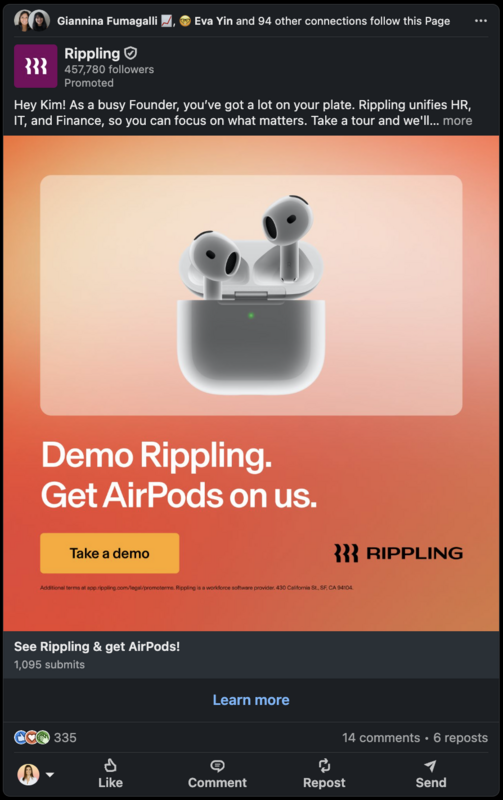
Some platforms let you take that even further. LinkedIn allows text personalization tokens in Single Image ads, pulling a viewer's first name directly into the copy. Seeing your actual name in an ad is a small jolt, and it's a nice reminder that "specific" doesn't stop at targeting. It can show up right in the words themselves.
Keep the copy tight
You get a second, maybe two, before someone decides whether you're worth their attention. That's not a lot of time to make a case. The best Single Image ads read like a text message from someone who respects your time, not a brochure that got crammed into a smaller box.
If you're rewriting a headline and it's still doing three jobs at once, cut two of them.
A note on AI-generated imagery
AI-generated imagery is showing up in LinkedIn ads more and more, and it's a genuinely useful tool for moving fast on creative.
The thing worth watching for is the same instinct that's always applied to visuals in the feed: if something feels a little too polished or generic, it can create distance between the ad and the person looking at it, even when the message itself is strong. The tools are only getting better, so this is worth keeping an eye on rather than avoiding outright.
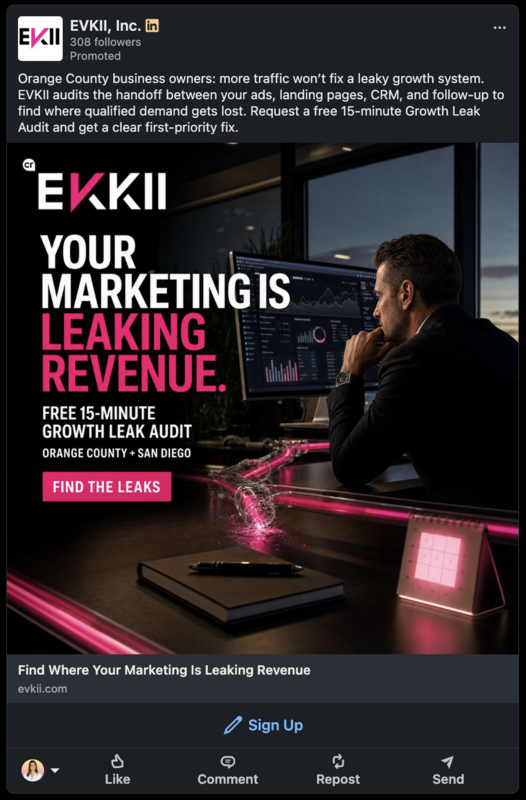
Single Image is also one of the easiest formats to test quickly. You can run several variations against each other, learn what resonates, and carry that insight into your other formats.
This format can also be paired with a Lead Gen Form, so the click goes straight into a form instead of a landing page.
What this is best for
Single Image tends to be the right call when the goal is:
- Building awareness with a new audience
- Retargeting someone who's already engaged with your brand
- Testing a message or offer before committing budget to a heavier format like Video
If your campaign goal is simple and the win is a click or an impression, this is usually where to start.
Carousel Image
What it is
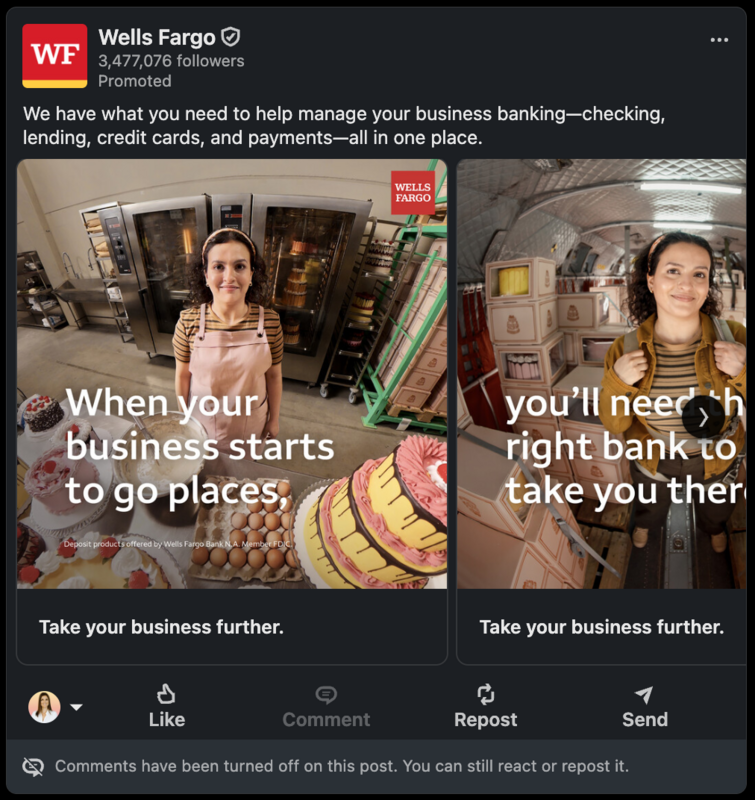
A Carousel Image ad is a series of 2 to 10 swipeable cards, each with its own image and headline, running in a single ad unit in the feed.
What to expect
Carousel gives you room a Single Image ad doesn't. Instead of making one point, you're building a sequence: a story, a comparison, a step-by-step.
It asks a little more of your audience too. A swipe is a small commitment, but it's still a commitment, so the first card is doing the heavy lifting of earning the rest.
Why the first card carries the weight
Most of the thinking on Carousel goes into cards 2 through 10. That's backwards. If card 1 doesn't earn the swipe, nobody sees cards 2 through 10 at all.
Treat your first card like its own Single Image ad. It needs to work completely on its own, with its own hook and its own reason to keep going. Everything after that is a bonus for the people who were already curious.
A few structures that tend to earn the swipe:
- Before and after: card 1 shows the problem, the rest show the transformation
- Numbered list: "5 things", where card 1 sets up the count and the rest deliver
- Product or service breakdown: one offering per card, useful when you have a few things worth showing side by side
A Lead Gen Form works here too, usually attached to the final card once you've made your case.
What this is best for
Carousel tends to be the right call when:
- A single image can't carry your full story
- You're comparing options, features, or before/after states
- You want to segment a broader idea into digestible pieces
Video
What it is
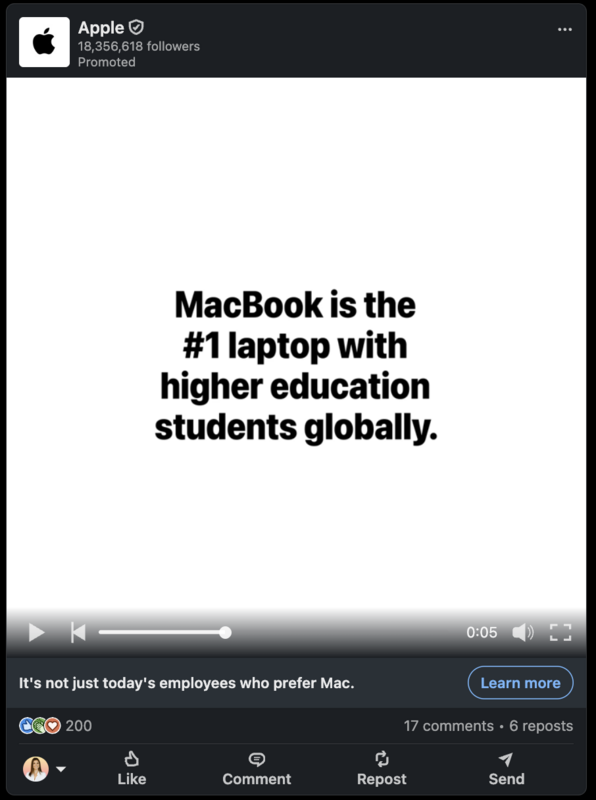
A Video ad runs natively in the feed, autoplaying with the sound off by default (thank goodness! Don't tell me I'm the only one who has accidentally played a video at max volume on my phone 😅), and includes a headline, intro text, and CTA button just like Single Image.
What to expect
Video is the format built for movement and sound, but most people will meet your ad muted and mid-scroll. What you build for that reality is different from a video meant to be watched with the volume on and full attention given.
Why silence-first design matters
If your video only makes sense with sound on, you've already lost most of your audience. LinkedIn autoplays muted, so the first few seconds need to work as well as a Single Image ad would on their own, before anyone has decided to turn the sound on or stick around.
A few things that tend to hold up under that constraint:
- Captions or on-screen text carrying the message
- A visual hook in the first 3 seconds that doesn't rely on dialogue to land
- A point that's clear by the time someone's thumb would naturally keep scrolling
If someone does turn the sound on, that's a good sign. It means the first few seconds earned enough curiosity to make them stop and commit further.
Like Single Image, this pairs well with a Lead Gen Form when the goal is a lead rather than just a view.
What this is best for
Video tends to be the right call when:
- You're explaining something with real complexity to it
- You have a product or process that benefits from being shown in motion
- You're building awareness and want your brand to feel more human than a static image can
Document
What it is
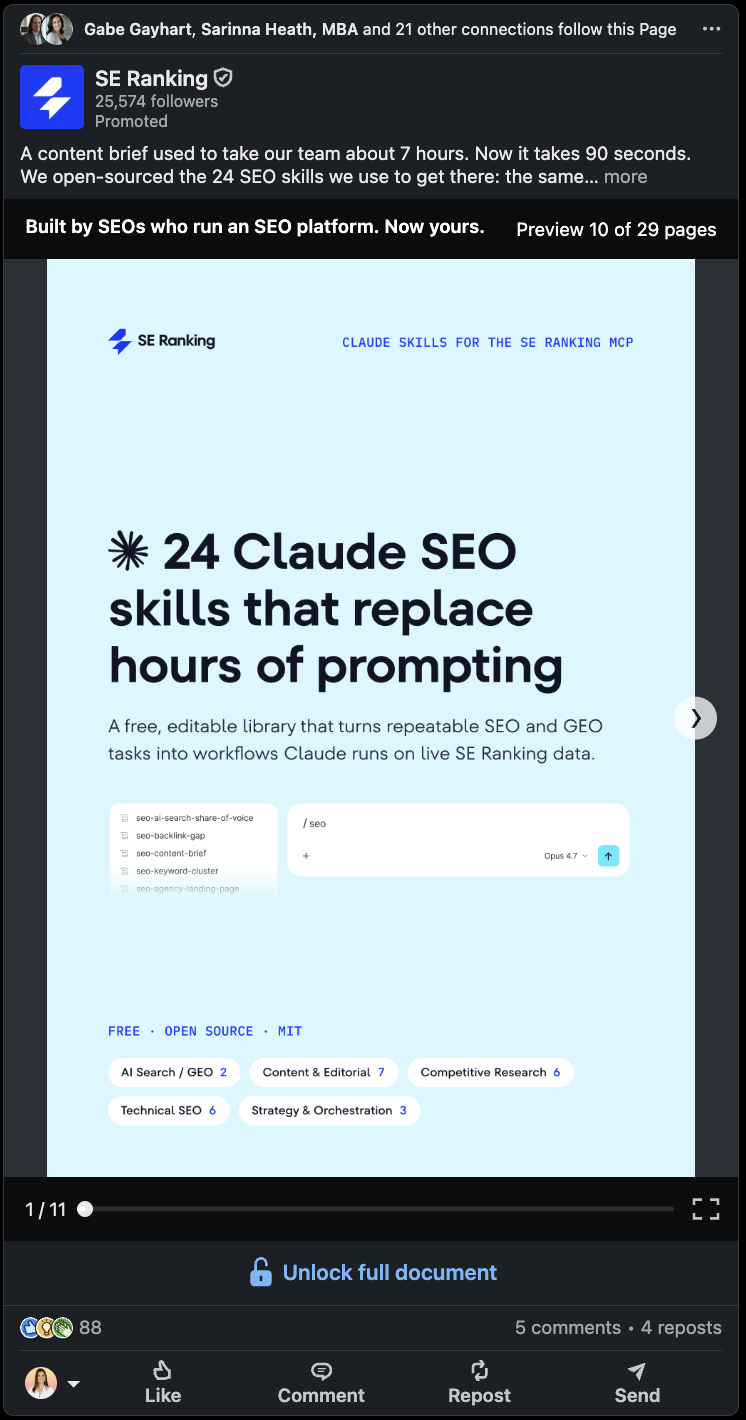
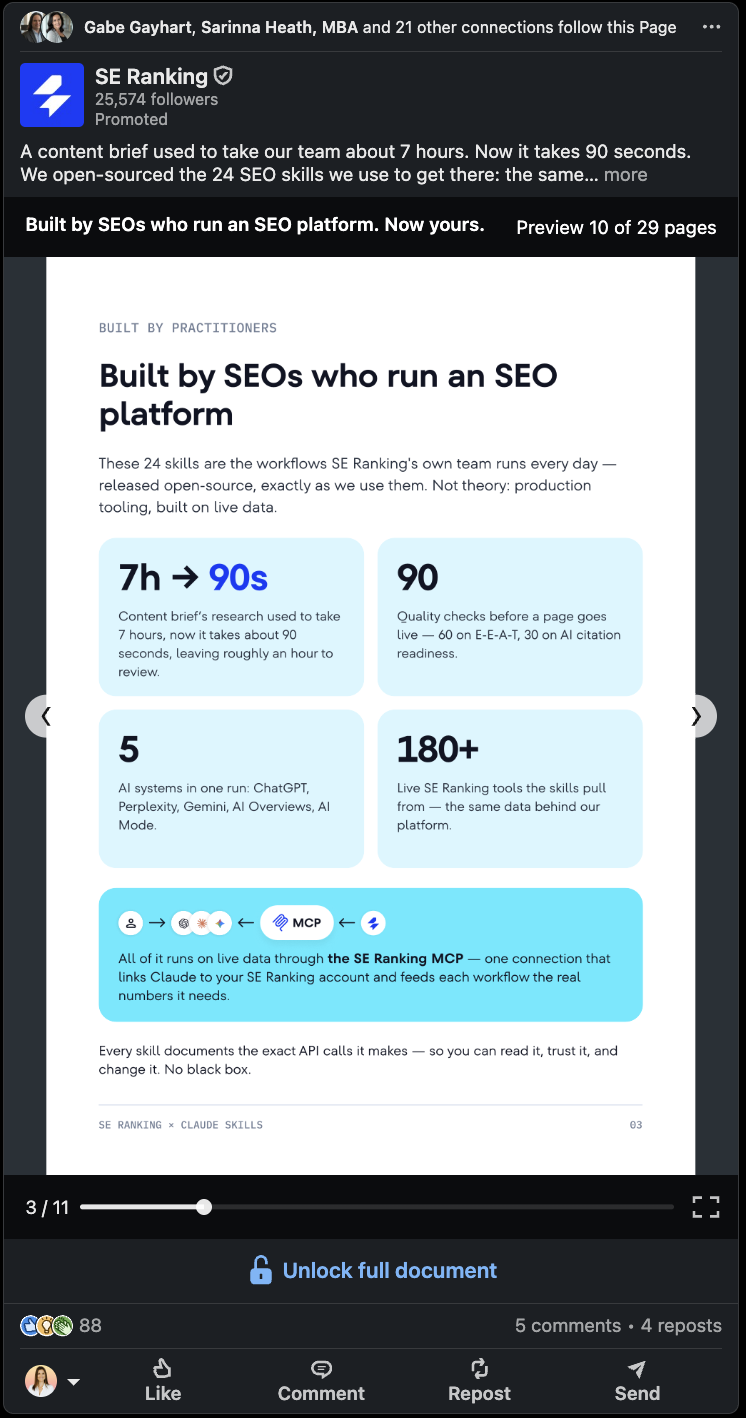
A Document ad lets someone preview and page through a PDF, slide deck, or report directly in the LinkedIn feed, without ever leaving the platform.
What to expect
Document ads work because they remove a step. Someone doesn't have to click through to a landing page and wait for it to load before they decide if your content is worth their time. They can start reading right there in the feed, and only give you their information if they want the rest.
Why letting someone preview before they commit works in your favor
Most gated content asks for an email before proving it's worth one. Document ads flip that.
Someone can flip through the first few pages for free, and by the time they hit a wall or want the full download, they've already decided your content is worth something. That's a warmer lead than one who filled out a form on a promise alone.
A few things that tend to make the preview earn the follow-through:
- Front-loading real value in the first few pages, not just a cover slide and a table of contents
- Designing for a phone screen, since most of this scrolling happens on mobile
- Pairing the ad with a Lead Gen Form, so the person who wants the rest doesn't have to leave LinkedIn to get it
What this is best for
Document tends to be the right call when:
- You have a genuinely useful resource, like a guide, benchmark report, or checklist
- You want to build trust before asking for anything in return
- You're running lead gen and want the lead to arrive already warmed up
Event
What it is
An Event ad promotes a LinkedIn Event page directly in the feed, letting someone register with a single click without leaving LinkedIn.
What to expect
Event ads work alongside your Event page, not instead of it. The ad drives someone to register, but the page itself is doing a lot of the convincing, with speakers, an agenda, and who else is attending. The ad's job is just to get the right eyes on that page in the first place.
Worth noting: this was one of the harder formats to catch in the wild while putting this post together. A few hours of scrolling turned up plenty of Single Image, Video, and Message ads, but no Event ads specifically. That's not proof they're rare, just a real data point on how often they showed up in one active feed.
Why Event ads work best as amplification, not the whole plan
An Event ad alone, sent to a cold audience, is asking a stranger to block time on their calendar for something they've never heard of. That's a big ask for a first impression.
Where this format earns its keep is when it's paired with what's already happening organically: your team sharing the event, speakers posting about it, past attendees talking it up. The ad amplifies momentum that already exists, rather than trying to create it from nothing.
A few things that tend to help:
- Running the ad to a warm audience first, like people who've engaged with your page or attended past events
- Making sure the Event page itself is doing the selling, with a clear agenda and a reason to show up live
- Timing the ad to build over a couple of weeks rather than launching it the day before
What this is best for
Event tends to be the right call when:
- You're promoting a webinar, conference, or virtual meetup
- You want to build a community around a recurring series
- You already have some organic momentum you can put a little budget behind
Thought Leader
What it is
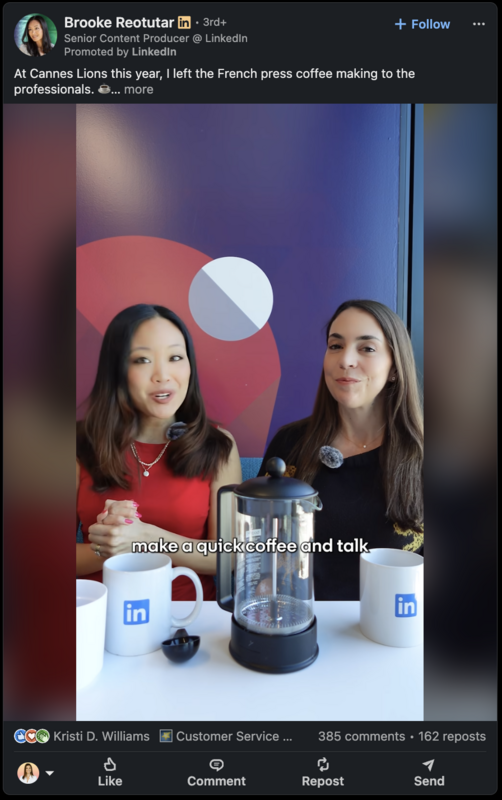
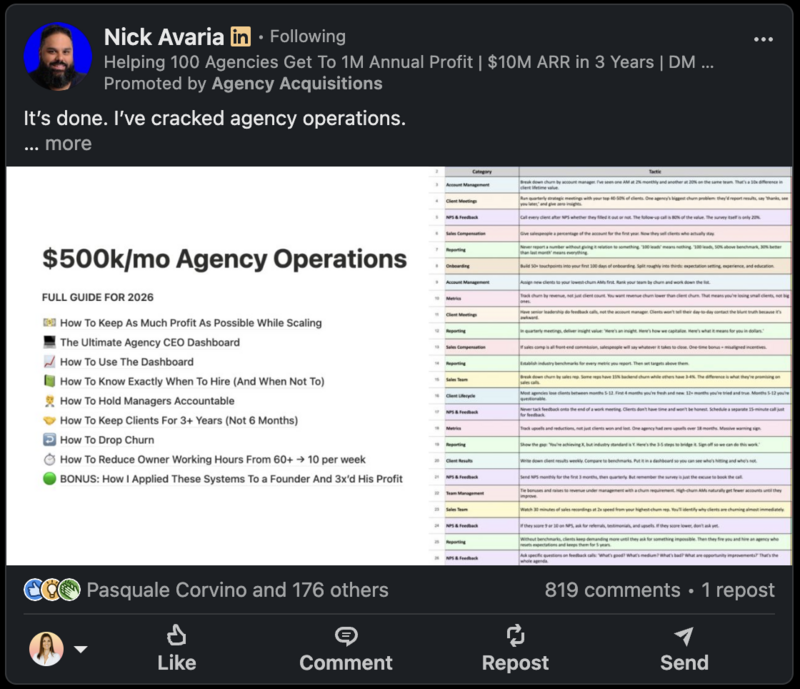
A Thought Leader ad promotes an organic post from an individual's personal profile, rather than your Company Page, so it shows up in the feed looking and feeling like a normal post from a person. (Admittedly, I've been fooled more than once by this.)
What to expect
This format trades a bit of design control for something harder to fake: trust. There's no slick creative to build. The post has to hold up entirely on the strength of what's being said and who's saying it.
Why a person beats a page here
People trust people more than they trust logos.
A post from your Company Page reads as marketing, even when it's genuinely useful. That same idea, posted from a founder or a team member's personal profile, reads as a point of view. Boosting that post with ad spend just gets more of the right people to see it.
A few things that tend to make these perform:
- Starting with a post that already resonated organically, since the ad amplifies what's working, not what you hope will work
- Choosing a voice people already recognize or would want to hear from, whether that's a founder, a subject matter expert, or someone close to the work
- Letting the post sound like a person talking, not a company narrating
What this is best for
Thought Leader tends to be the right call when:
- You're building trust with an audience that's skeptical of ads
- You have a founder or team member with a genuine point of view worth amplifying
- You want reach on a post that's already proving itself organically
Article & Newsletter
What it is
An Article & Newsletter ad promotes a LinkedIn Article or Newsletter edition, putting existing long-form content in front of a wider audience than your subscribers or followers alone.
What to expect
This format doesn't ask you to create anything new. It takes content you've already written and gives it a bigger audience. If you're already publishing a Newsletter or writing Articles on LinkedIn, this is a way to put budget behind the ones that are working.
Same story here as Event ads: this was the other format that never showed up during research for this post. If that changes, we'll drop a real example in.
Why this is a long game, not a quick win
Most formats on this list are built for a single moment: a click, a lead, a registration. This one is different. It's built for the slower work of staying in front of someone over time, so that when they are ready to buy, your name is already familiar.
A few things that tend to make this worth the investment:
- Promoting your strongest existing content first, rather than something written with the ad in mind
- Thinking in terms of subscriber growth, not immediate conversions
- Giving it time. This format compounds over months, not days
What this is best for
Article & Newsletter tends to be the right call when:
- You're playing a longer nurture game rather than chasing an immediate action
- You already have content worth putting a wider audience behind
- You want to grow a subscriber base you own, not just rent attention for a moment
2 formatsIn the Inbox
Two formats, Message and Conversation, skip the feed entirely and land directly in someone's LinkedIn messages. This is technically called Sponsored Messaging.
This is the most direct real estate on the platform. There's no scrolling past it, no competing post above or below it. It shows up where someone expects a real conversation, which is exactly why it has to be handled carefully.
A few things worth knowing about this group:
- The ad reads more personal than anything in the feed, for better or worse
- It's the format most associated with the "pitch-slap" reputation, which we'll get into
- Done well, it can feel like a genuine outreach message. Done poorly, it feels like spam that found a side door in
In this section:
Message
What it is
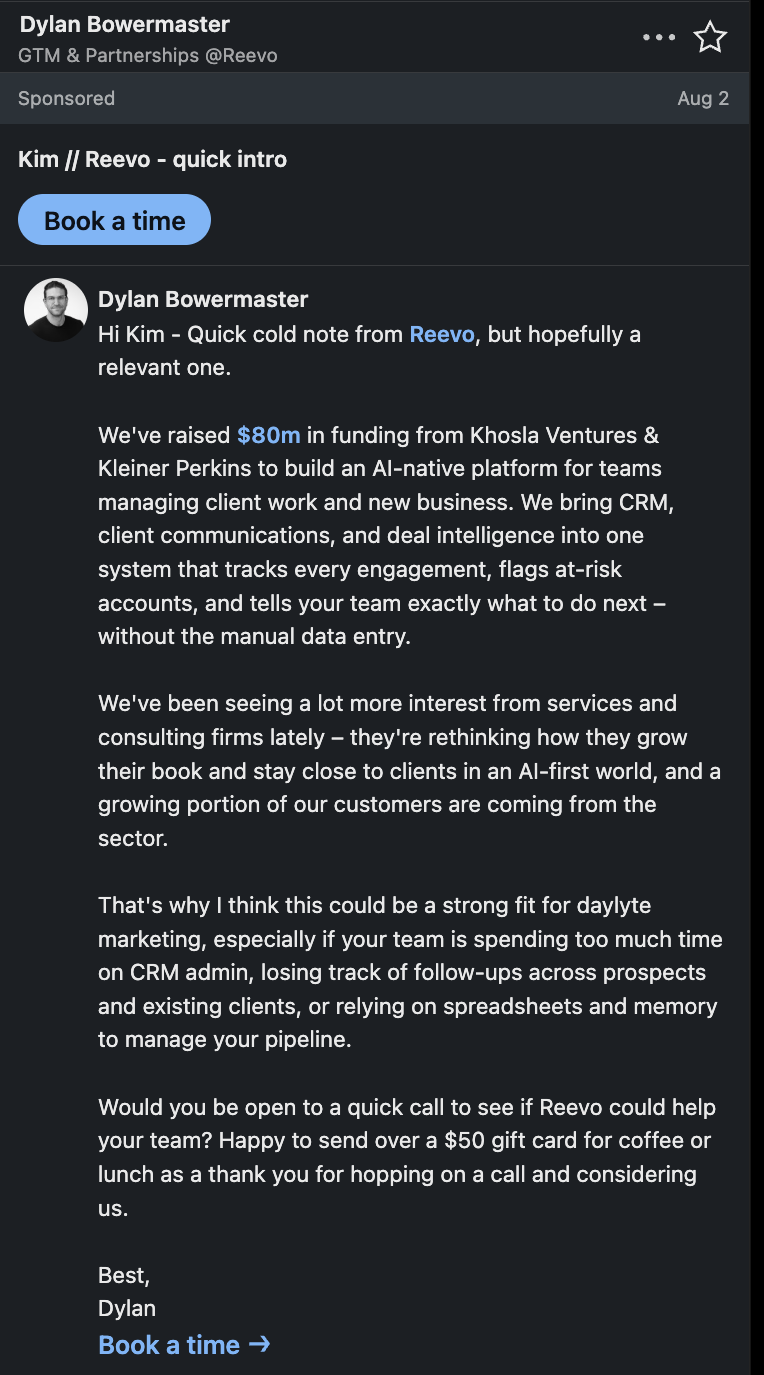
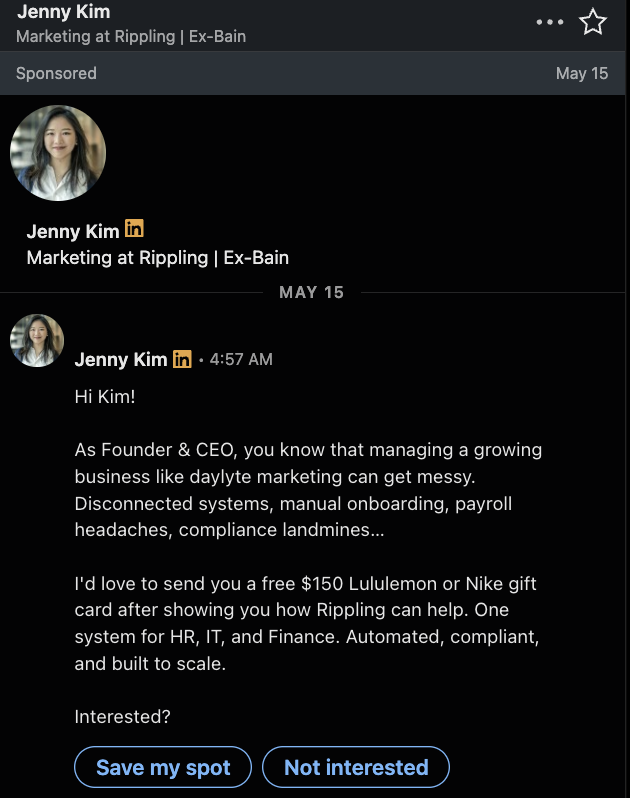
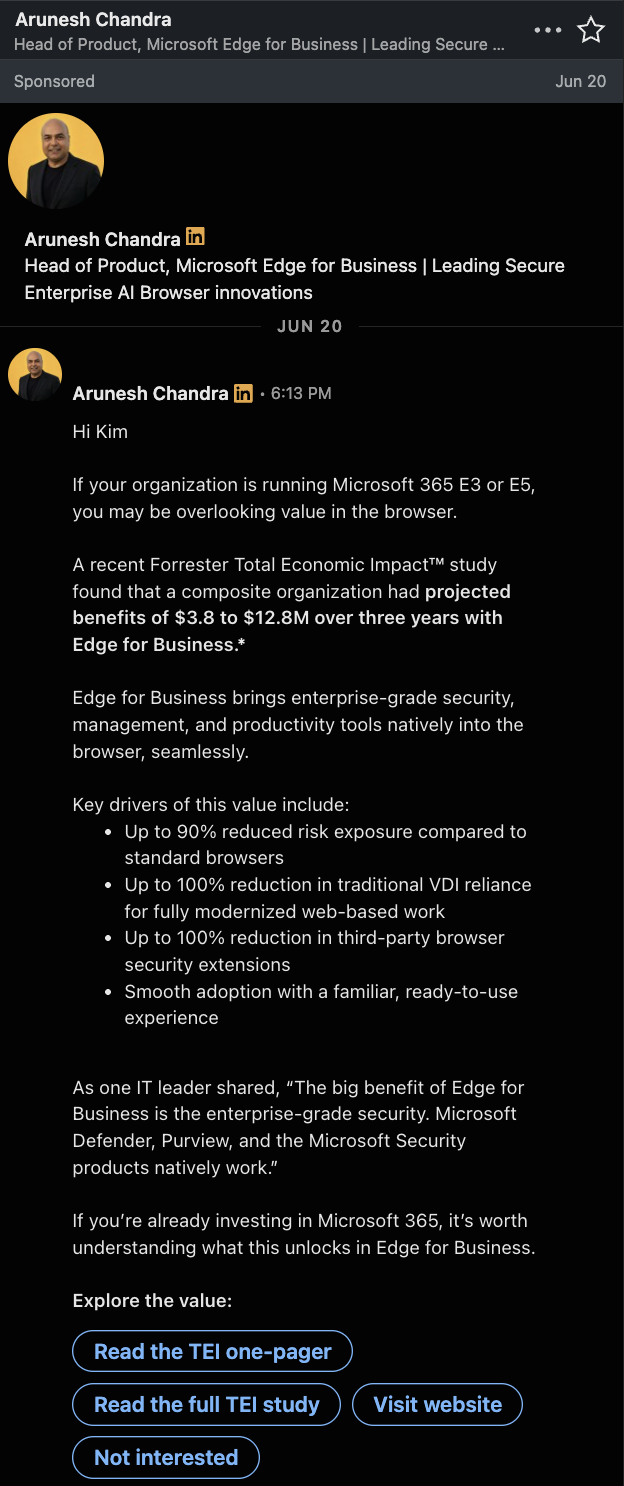
A Message ad lands directly in someone's LinkedIn inbox, styled like a personal message, with a headline, short body copy, and a single CTA button.
What to expect
This is the most direct format on the list. You're not competing for attention in a feed. You're in the inbox, one-on-one, which means the ad feels more personal, for better or worse.
Why the "pitch-slap" is the thing to design around
You can't scroll past more than 20 posts on LinkedIn without someone complaining about being "pitch-slapped". At least in my network.
That word exists for a reason.
A Message ad can be extremely effective, or extremely off-putting, and the difference usually comes down to how it opens.
You're right there in someone's inbox, having what's supposed to feel like a real conversation. The moment it reads like a script instead of a person, the trust is gone.
A few things that tend to keep it on the right side of that line:
- Opening with something relevant to the recipient, not your company
- Writing like you'd actually message a person, not like you're announcing something
- Being upfront that it's an ad rather than pretending otherwise. People can tell, and the pretending is what stings
You have a second, maybe two, to be authentic and deliver value. That's the whole game with this format.
This format pairs especially well with a Lead Gen Form, since you're already in a one-on-one context and the form keeps that feeling intact.
What this is best for
Message tends to be the right call when:
- You're inviting someone to something specific, like an event or a demo
- You have a genuinely personal offer, not a mass announcement
- You want to reach someone directly and are prepared to earn that inbox space
Conversation
What it is
A Conversation ad also lands in the inbox, but instead of a single message with one CTA, it opens with a branching set of options the recipient can choose from, more like a chatbot than a letter.
What to expect
Where Message ads ask someone to take one action, Conversation ads let the recipient choose their own path. That makes it a better fit when you have more than one thing to offer and want the person to self-select into the one that's relevant to them.
Why giving someone a menu beats giving them a monologue
A Message ad makes a single ask.
A Conversation ad lets the recipient tell you what they're interested in before you ask for anything.
👉 That small shift changes the dynamic. Instead of guessing what someone wants and hoping you guessed right, you're letting them raise their hand.
A few things that tend to make this format work:
- Keeping the first set of options genuinely different from each other, not three versions of the same offer
- Making the path short. Two or three exchanges is usually enough before you land on a clear next step
- Ending every path with a specific CTA, not a dead end that leaves the person unsure what happens next
What this is best for
Conversation tends to be the right call when:
- You have a few distinct offers or paths and want the prospect to self-select
- You're qualifying interest before a sales conversation
- You want the inbox format's directness, without narrowing everyone into one single ask
3 formatsIn the Native Rail
Three formats, Spotlight, Follower, and Text, fall under what LinkedIn calls Dynamic Ads.
These show up in the right rail on desktop, smaller and less central than a feed post, but with a trick the feed formats don't have: they can personalize using the viewer's own name, photo, or company details.
A few things worth knowing about this group:
- These formats ask for less real estate and less commitment than anything in the feed or inbox
- Personalization is the mechanism, not a bonus feature
- They tend to work best alongside a bigger campaign, not as the whole plan
Spotlight
What it is
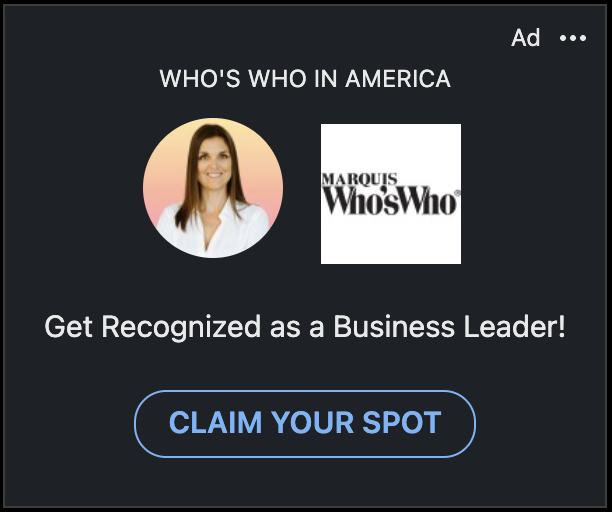
A Spotlight ad is a Dynamic Ad that runs in the native rail, dynamically pulling in the viewer's own name, photo, or company details to make the ad feel personalized to them specifically.
What to expect
This format doesn't ask for much real estate, but it earns attention through personalization rather than size. Seeing your own name or photo in an ad is a small jolt, and that jolt is the whole mechanism this format relies on.
Why personalization does the heavy lifting here
Spotlight isn't trying to tell a story or make a complex case. It's a small, direct nudge that says "this is about you", and that's often enough to earn a click when the offer behind it is clear.
A few things that tend to make it work:
- Keeping the offer simple enough to make sense in one glance
- Pairing personalization with a CTA that feels like a natural next step, not a hard sell
- Using it for retargeting, where the personalization reinforces something the person already knows about you
What this is best for
Spotlight tends to be the right call when:
- You're retargeting people who've already engaged with your brand
- You want a lightweight, always-on presence alongside a bigger campaign
- You have a simple, single action you want someone to take
Follower
What it is
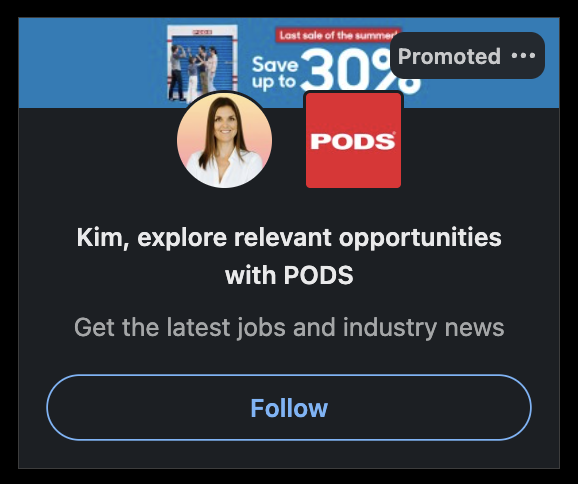
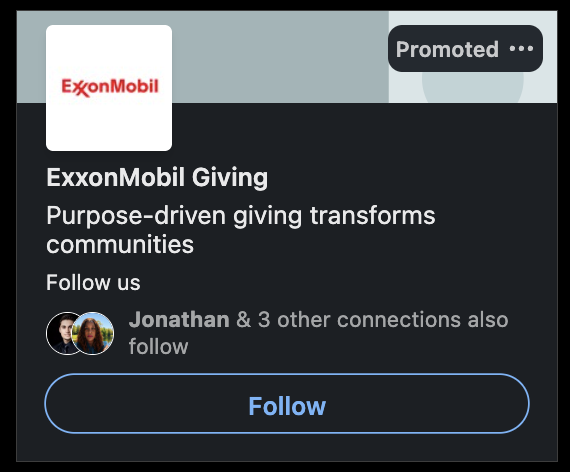
A Follower ad is a Dynamic Ad that runs in the native rail, inviting the viewer to follow your Company Page, often personalized with their own photo alongside a "Follow" CTA.
What to expect
This is the quietest format on the list, and that's by design. It's not asking for a click-through, a lead, or a registration. It's asking for something smaller: a follow. That makes it easy to underestimate, but a following you own is worth more over time than most people give it credit for.
Why owning an audience still matters
Every other format on this list is renting attention for a moment. Follower ads are one of the few built to grow something you keep. Every follow is someone who's opted into hearing from you again, organically, for free, long after the ad budget stops.
A few things that tend to make this worth running:
- Treating it as a long-term investment, not a campaign with a clear end date
- Making sure your Company Page is worth following before you spend to grow it. It needs somewhere good to land
- Running it quietly in the background rather than expecting it to carry a launch on its own
What this is best for
Follower tends to be the right call when:
- You want to build an owned audience you can reach organically over time
- You're investing in brand presence alongside your performance campaigns
- Your Company Page is already worth someone's attention once they land on it
Text
What it is
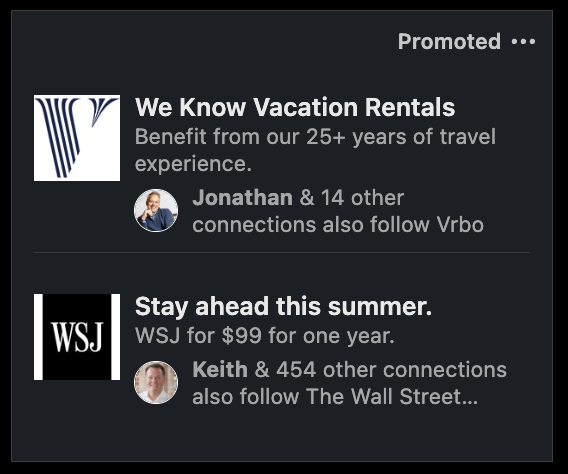
A Text ad is a Dynamic Ad that runs in the native rail, made up of a small image, a short headline, and a couple of lines of description, priced on a pay-per-click or pay-per-impression basis.
What to expect
Text ads are the simplest, lowest-commitment format on this list. There's no video to produce, no carousel to sequence, and no inbox etiquette to navigate. You write a few lines, set a budget, and let it run.
Why this format earns its place as a testing ground
Because Text ads are cheap and fast to launch, they're a low-risk way to test a headline, an offer, or an audience before committing real budget to a bigger format. If a message doesn't land here, it's not going to magically work better as a Video ad.
Worth noting where these tend to show up too. While putting this post together, the Spotlight and Follower ads kept appearing in my main feed's native rail, but Text ads mostly showed up on profile pages instead. That's not a documented rule, just a pattern from a few hours of scrolling, but it's a good reminder that where you encounter a format as a user isn't always where you'd expect it to run as an advertiser.
A few things that tend to make it worth running:
- Using it to test messaging cheaply before scaling a winner into a heavier format
- Keeping expectations realistic. This is a supporting format, not a primary lead driver
- Running it alongside a bigger campaign rather than as your only line of spend
What this is best for
Text tends to be the right call when:
- You want to test messaging or targeting cheaply before scaling up
- You're supplementing a bigger campaign with low-cost, always-on presence
- Budget is limited and you want to learn before you spend more
1 formatBeyond the Rail
The last format on this list doesn't fit into feed, inbox, or native rail. It's the one going somewhere LinkedIn ads have never been able to go before.
Connected TV
What it is
A Connected TV ad puts your video creative on streaming platforms, still targeted using LinkedIn's professional data, so your ad can show up on someone's actual TV screen rather than their feed.
What to expect
This is the newest and most different format on the list. It trades the scroll-and-click behavior of everything else here for the kind of attention someone gives a TV screen: less interactive, more passive, but with real reach behind it. It's built for brand awareness at scale, not for someone clicking through mid-show.
Why this one is worth watching, even if it's not where you start
Most of the formats on this list ask for an action. This one doesn't, and that's the point.
Connected TV is a bet on LinkedIn's targeting data extending somewhere it's never been able to reach before: the living room. It's early, and it's not going to be the first format most small to mid-market businesses reach for. But it's worth knowing it exists, especially if brand awareness at scale is part of a bigger picture down the line.
A few things worth knowing:
- It's built for reach and awareness, not for a direct response goal
- It works best as part of a broader campaign, not a standalone line item
- The targeting is still LinkedIn's professional data, which is what makes it different from a typical CTV buy
What this is best for
Connected TV tends to be the right call when:
- You have real brand awareness budget and want reach beyond the feed
- You're already running a strong LinkedIn program and want to extend it
- You're playing a long-term brand game, not chasing an immediate action
So, Which One Should You Use?
Thirteen formats, three families, one question left: which one is right for you?
Here's the honest answer: it depends less on your industry than you'd think, and more on what you actually want the campaign to do.
- Want a name in front of someone for the first time? Start in the feed with Single Image or Video.
- Have a resource worth sharing before you ask for anything? Document does that well.
- Want someone to raise their hand and tell you what they're interested in? Conversation puts that choice in their hands.
- Ready to reach someone directly, one-on-one? Message gets you there, if you can avoid the pitch-slap.
- Building something for the long term, like a following or a subscriber base? Follower or Article & Newsletter are built for patience.
- Want to test a message cheaply before you scale it? Text is the low-risk place to start.
None of these are wrong choices. They're just built for different jobs. The mistake isn't picking the "wrong" format. It's picking a format before deciding what you actually want it to do.
Start with the goal. Let the format follow.
Quick Answers
What is the best LinkedIn ad format for lead generation?
Document and Message tend to perform well for lead gen, especially when paired with a Lead Gen Form. Document works because someone previews real value before committing their information. Message works because it's direct and personal, as long as it avoids feeling like a pitch-slap.
What LinkedIn ad format should I start with?
Single Image. It's the most familiar format for both you and your audience, quick to build, and easy to test before committing budget to a heavier format like Video or Connected TV.
What's the difference between Message ads and Conversation ads?
Message ads make a single ask with one CTA. Conversation ads open with a branching set of options, letting the recipient choose their own path. Message works well for a specific, direct offer. Conversation works well when you have a few different offers and want the person to self-select.
Are Lead Gen Forms a LinkedIn ad format?
Not on their own. Lead Gen Forms are an add-on that attaches to several formats, including Single Image, Video, Carousel Image, Message, and Document. They open a pre-filled form directly in LinkedIn instead of sending someone to a landing page.
What's the best LinkedIn ad format for B2B?
Most of LinkedIn's formats are built with B2B in mind, since that's where the platform's targeting data is strongest. Document and Thought Leader tend to do especially well for B2B, since they build trust before asking for anything in return.
Is LinkedIn Connected TV worth it for a small or mid-sized business?
It depends on the goal. Connected TV is built for broad brand awareness, not a direct response action, and it works best alongside an already-running LinkedIn program rather than as a starting point.
Keep reading: